

Prerequisites
Only a business email is required. No credit card needed to start.
Create the workspace and invite your team
1
Sign up
Go to arya.so/signup, enter your email and workspace name. You’ll receive a confirmation email.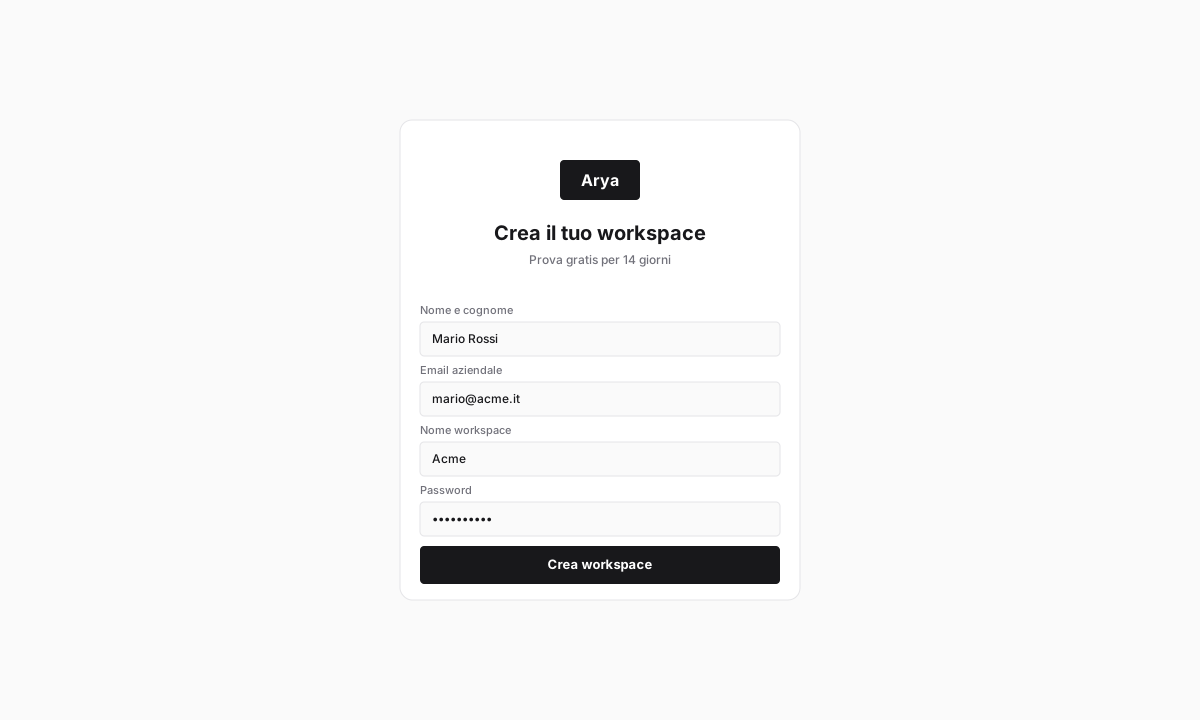
2
Set basic data
On first access Arya asks for company name, VAT number (partita IVA) and default currency. If you have a codice SDI or PEC address, add them now — they’re needed for Italian e-invoicing.
3
Invite the team
In Settings → Team and roles, enter the emails of your colleagues. Pick a role:
Admin, Manager, User or Read-only.First CRM deal
1
Open CRM
Click CRM in the left sidebar. The Kanban pipeline shows default stages:
Prospect, Qualified, Proposal, Negotiation, Won, Lost.2
Create the first deal
Click + New deal in the top right. Fill in deal name, customer company (Arya creates it if missing), expected value, close date.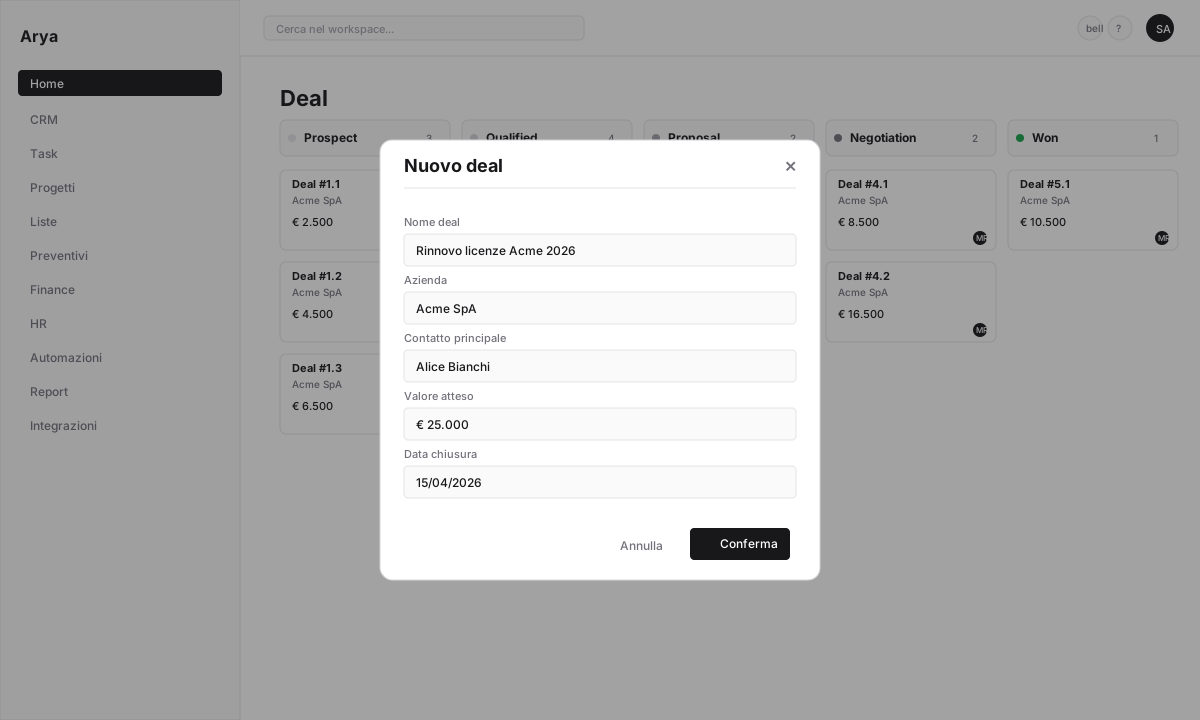
3
Move it through the pipeline
Drag the card between stages with your mouse. Each move is tracked in history and can trigger automations.
Generate and send a quote
1
Open the deal
Click the deal card. Go to the Quotes tab.
2
New quote
Click + New quote. Choose a format:
- Classic: static PDF
- Clauses: contract with digital signatures
- Sales Room: interactive page with sections, video and FAQs
Classic for the first test.3
Add line items
Pick products/services from the price list, set quantity, unit price and discount. Totals with VAT update automatically.
4
Share the link
Click Publish. Arya generates a unique public link you send to the customer via email or WhatsApp. Every view and every section opened is tracked.
Close the deal and issue an invoice
1
Customer accepts
The customer digitally signs the quote from the public page. Arya sets quote status to
Accepted and notifies you.2
Move the deal to Won
Back in CRM, drag the deal to the
Won stage. The deal value enters forecasting and reports automatically.3
Issue the invoice
From the deal menu click Convert to invoice. Arya fills customer data, taxable amount and VAT from the quote. Review and click Issue.
If the SDI integration is configured, the invoice is sent directly to the Sistema di Interscambio (Italy’s official e-invoicing hub). Otherwise it stays as
Draft for manual sending.What you learned
You created a workspace and invited your team
You created your first CRM deal
You generated and sent a quote with a public link
You closed the deal and issued your first invoice
Next steps
Continue with Arya 101
Ten short lessons on the main features.
Set up automations
Automate notifications, follow-ups and project creation.
Connect Gmail
Deal emails tracked automatically.
Install the mobile app
iOS, Android, push notifications, NFC clock-in.