

Lesson 2 of 10 · ~5 minutes · Prerequisite: Lesson 1 — Workspace
What you’ll learn
- The difference between object and record
- What objects ship out of the box in Arya
- When to create a custom object
Object vs record
An object is a type of entity — like a table in a database. A record is a single instance of that object — like a row of that table. Example: theDeal object represents the concept “sales opportunity”. The record Acme Corp 2026 contract renewal is a specific deal you’re working.

Standard objects
Arya includes these objects out of the box:
Each has standard attributes and features (views, filters, AI, automations).
Create your first record
1
Open CRM
Click CRM → Companies in the sidebar.
2
Create a company
Click + New company. Enter name, website, VAT number. Arya auto-enriches with public data (industry, size, city).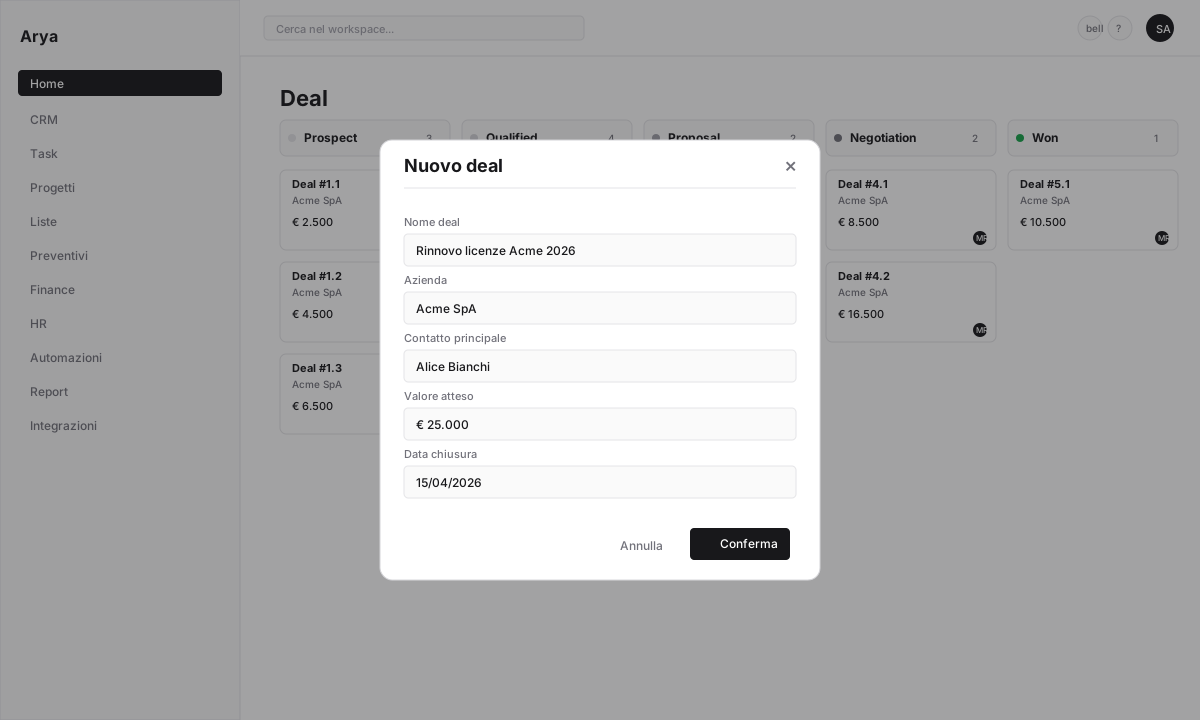
3
Add a linked contact
From the company page click + New contact in the Contacts section. Name, email, role. The contact is automatically linked to the company.
4
Create a deal
From the contact, click + New deal. Arya prefills the company and primary contact. Set expected value and close date.
Relationships between records
Your data is not isolated. When you open the deal you just created you see:- The linked company
- The associated contacts
- All emails, calls, tasks, quotes you’ll add
- The automatic activity timeline
Custom objects
If your business has entities not covered by standard objects (e.g.Supplier, Policy, Machine, Legal case), create custom objects in Settings → Custom objects. They get the same features as standard objects.
Verify
You can distinguish an object from a record
You created a company, contact and deal linked to each other
You know where to create custom objects
Next lesson
Lesson 3 — Attributes and custom fields
Add the fields your business needs, on any object.