> ## Documentation Index
> Fetch the complete documentation index at: https://docs.arya.so/llms.txt
> Use this file to discover all available pages before exploring further.
# Management reporting
> Budget, cost centres, per-project analysis, per-customer and per-product margin.
Beyond the fiscal balance sheet, Arya provides **management reporting** tools to understand where you make money and where you lose it: per project, per customer, per product, per cost centre.
 ## Analysis dimensions
Budget vs actual, margin %, completion %. See [Projects](/en/projects/overview).
YTD revenue, average margin, DSO, lifetime value.
Sold, cost, margin, trend over time.
Department (sales, operations, R\&D) — cost and revenue allocation.
Commissions, commercial performance.
Retail, web, partner, field sales — comparative profitability.
## Budget
**Finance → Budget → + New budget**. Pick dimension (project, cost centre, P\&L line).
For each line (revenue, costs) set monthly targets.
## Analysis dimensions
Budget vs actual, margin %, completion %. See [Projects](/en/projects/overview).
YTD revenue, average margin, DSO, lifetime value.
Sold, cost, margin, trend over time.
Department (sales, operations, R\&D) — cost and revenue allocation.
Commissions, commercial performance.
Retail, web, partner, field sales — comparative profitability.
## Budget
**Finance → Budget → + New budget**. Pick dimension (project, cost centre, P\&L line).
For each line (revenue, costs) set monthly targets.
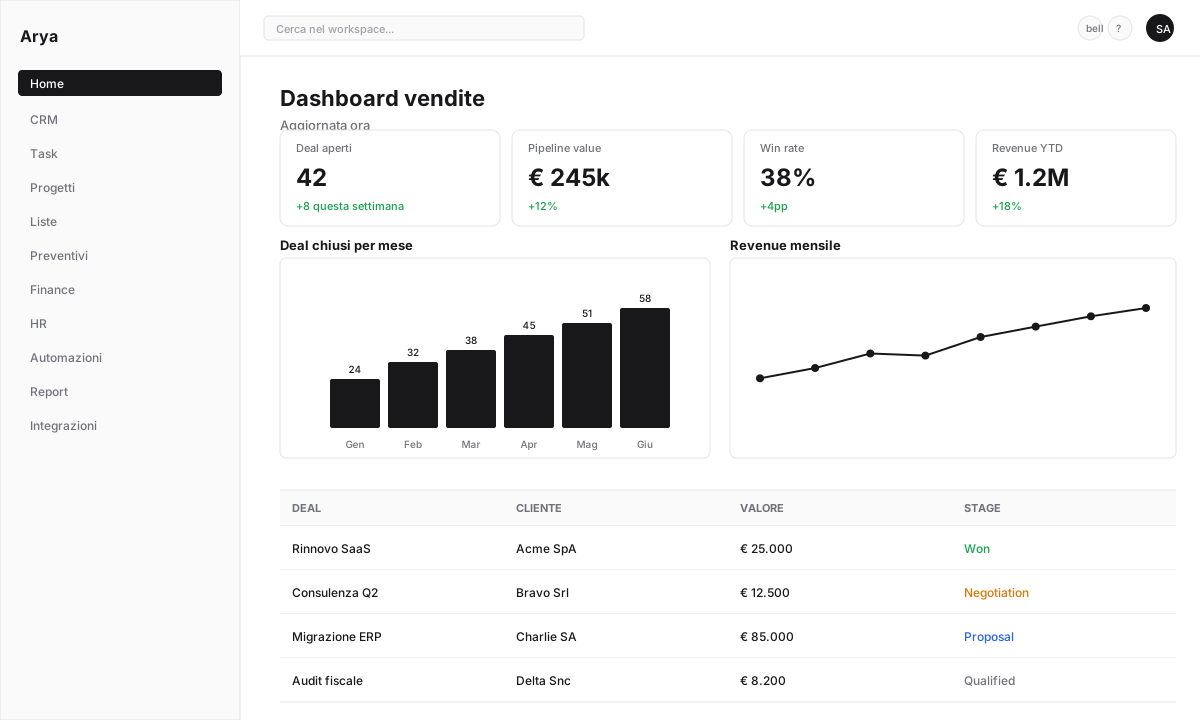 Dashboard with variances (€ and %), red/yellow/green indicators.
## Indirect cost allocation
Overhead costs (rent, IT, HR) must be allocated to projects or cost centres for correct margins.
Insert periodic allocation lines: "30% rent to project X, 70% to project Y".
Configure a rule: "Overhead costs distributed proportionally to each project's revenue".
Arya applies standard methods (ABC, per direct hours, per revenue) per your choice.
## Contribution margin
For profitability analysis, Arya computes:
```
Contribution margin = Revenue - Direct variable costs
Operating margin = Contribution margin - Allocated fixed costs
```
## Default KPIs
Gross margin on revenue
Operating margin before amortisation and interest
Average days to collect
Average days to pay
Working capital cycle
Revenue per headcount
## Scenarios and simulations
**Finance → Scenarios → + New scenario** → duplicate current budget.
Change individual lines (e.g. "+5% new customer revenue", "-10% raw material cost").
See impact on EBITDA, net income, cash flow.
## Board export
Generate a management reporting dashboard pack for board, investors, banks:
* PDF with KPIs and charts
* Excel with detailed data
* Prefilled slide presentation (customisable template)
## Frequently asked questions
Yes, budgets can be defined at any level: company, cost centre, project, specific account.
Yes, from the Management Dashboard → **Break-even**: calculated from fixed costs and contribution margin.
Use scenarios (duplicate budget, modify, compare). You can save multiple scenarios simultaneously (best case, worst case, target).
Dashboard with variances (€ and %), red/yellow/green indicators.
## Indirect cost allocation
Overhead costs (rent, IT, HR) must be allocated to projects or cost centres for correct margins.
Insert periodic allocation lines: "30% rent to project X, 70% to project Y".
Configure a rule: "Overhead costs distributed proportionally to each project's revenue".
Arya applies standard methods (ABC, per direct hours, per revenue) per your choice.
## Contribution margin
For profitability analysis, Arya computes:
```
Contribution margin = Revenue - Direct variable costs
Operating margin = Contribution margin - Allocated fixed costs
```
## Default KPIs
Gross margin on revenue
Operating margin before amortisation and interest
Average days to collect
Average days to pay
Working capital cycle
Revenue per headcount
## Scenarios and simulations
**Finance → Scenarios → + New scenario** → duplicate current budget.
Change individual lines (e.g. "+5% new customer revenue", "-10% raw material cost").
See impact on EBITDA, net income, cash flow.
## Board export
Generate a management reporting dashboard pack for board, investors, banks:
* PDF with KPIs and charts
* Excel with detailed data
* Prefilled slide presentation (customisable template)
## Frequently asked questions
Yes, budgets can be defined at any level: company, cost centre, project, specific account.
Yes, from the Management Dashboard → **Break-even**: calculated from fixed costs and contribution margin.
Use scenarios (duplicate budget, modify, compare). You can save multiple scenarios simultaneously (best case, worst case, target).